
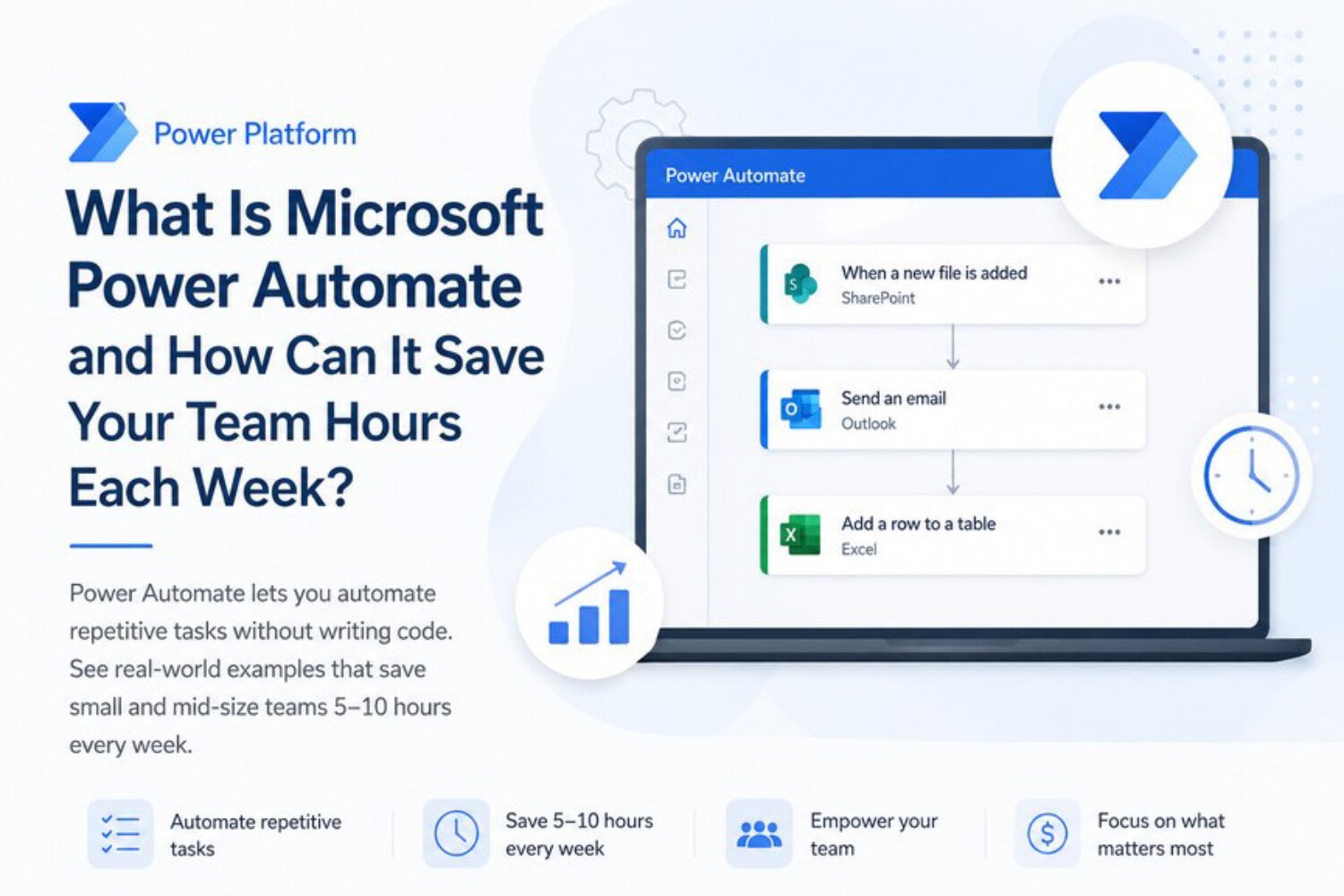
What Is Microsoft Power Automate and How Can It Save Your Team Hours Each Week?
There is a quiet revolution happening inside businesses of every size, and it has nothing to do with hiring more staff or overhauling your entire tech stack. It is happening in the background, between the apps your team already uses every day — and it is saving organisations hundreds of hours every single month. That revolution is called Microsoft Power Automate.
If you have heard the name but never quite understood what it does, or if someone in your organisation has mentioned automation and you are not sure where to start, this guide is written for you. We will walk through exactly what Microsoft Power Automate is for business, how it works in practice, and why it has become one of the most valuable tools in the Microsoft 365 ecosystem.
What Is Microsoft Power Automate, Exactly?
Microsoft Power Automate is a cloud-based automation platform that lets you connect your apps, services, and data sources so that repetitive tasks happen automatically — without anyone manually triggering them. It sits within the broader Microsoft Power Platform alongside Power Apps, Power BI, and Power Pages, and it integrates deeply with the tools most teams already rely on: Outlook, SharePoint, Teams, Excel, Dynamics 365, and hundreds of third-party applications including Salesforce, Slack, Google Workspace, and Dropbox.
At its core, Power Automate works on a simple logic: when something happens, do something else. These sequences are called flows. A flow might say: when a new form is submitted on your website, create a contact record in your CRM, send a confirmation email to the customer, and post a notification to your sales team's Teams channel — all within seconds, with no human involved.
Understanding what Microsoft Power Automate is for business means recognising that it is not just a tool for IT departments or developers. It was specifically designed so that people with no coding experience can build powerful automations using a visual, drag-and-drop interface. That said, it also offers deep customisation for technical users who want to write expressions, call APIs, or handle complex conditional logic.
The Three Types of Flows You Need to Know
Power Automate offers several flow types, but three form the foundation of most business use cases.
Automated Flows
An automated flow is triggered by an event. When a file is uploaded to a SharePoint folder, when an email arrives with a specific subject line, when a form response is submitted — these events fire the flow automatically. Automated flows are the workhorse of Power Automate and handle the vast majority of day-to-day business automations.
Instant Flows
An instant flow is triggered manually, either by a human clicking a button or by another system sending a signal. Your team might use an instant flow to generate a formatted report on demand, to kick off an approval process with a single tap on their phone, or to send a templated message to a client with pre-filled details pulled from a database. Instant flows are particularly popular with field teams and sales staff who need to trigger actions on the go.
Scheduled Flows
A scheduled flow runs at a defined time or on a recurring basis. Every Monday morning at 8am, pull last week's sales data from Dynamics and email a summary to the leadership team. On the last business day of every month, archive completed records from a SharePoint list into a separate storage folder. Scheduled flows are the digital equivalent of tasks that someone on your team has been quietly doing every week for years — often without anyone realising how much time they consume.
How Does Power Automate Actually Work?
Every flow is built around two key components: a trigger and one or more actions. The trigger defines what starts the flow. The actions define what happens next. Between the trigger and the actions, you can add conditions (if this is true, do X; otherwise do Y), loops (repeat this action for each item in a list), and approvals (pause the flow until a manager clicks Approve or Reject).
Power Automate connects to other services through connectors — pre-built integrations that handle the technical complexity of communicating between platforms. There are over 1,000 connectors available, covering virtually every major business application on the market. For systems that do not have a dedicated connector, there is an HTTP connector that allows flows to communicate directly with any service that has an API.
Building a flow does not require you to write code. You open the Power Automate interface, choose your trigger, search for the app you want to connect to, and select the action you want to perform. The platform walks you through each step and tells you what information each action needs. Most simple automations can be built and tested in under an hour by someone who has never used the tool before.
Real-World Examples: Where Businesses Save the Most Time
The best way to understand the practical impact of Power Automate is to look at the kinds of tasks it eliminates across different teams and departments.
Finance and Accounts
Invoice processing is one of the most time-consuming manual tasks in any finance team. A typical workflow involves receiving an invoice by email, downloading the attachment, entering the details into an accounting system, forwarding it to a manager for approval, waiting for a response, and then updating the record once approved. Every step in that process is a candidate for automation. With Power Automate, an invoice arriving in a shared Outlook inbox can be automatically scanned, logged in the accounting system, sent to the appropriate approver based on the amount, and marked as approved or rejected — all without the finance team touching it until the exception cases that genuinely need human judgment.
Human Resources
Employee onboarding is another area where Power Automate delivers immediate and visible results. When a new hire is added to the HR system, a flow can automatically create their user account in Azure Active Directory, send them a personalised welcome email, provision their access to the relevant SharePoint sites and Teams channels, notify IT to set up their hardware, and schedule their first-week calendar invites. What previously required coordination between HR, IT, and the line manager — often taking two to three days and a long email chain — can now happen in minutes.
Sales and Customer Service
For sales teams, speed matters enormously. When a new lead comes through a website form, every minute of delay reduces the likelihood of conversion. Power Automate can ensure that a new lead is immediately created in the CRM, assigned to the right sales rep based on territory or product interest, and followed up with a personalised email — all before the rep has even opened their laptop. Similarly, customer service teams can use flows to route support tickets to the right agent, trigger escalation processes when SLAs are at risk, and send automated status updates to customers as their case progresses.
Operations and Project Management
Teams using SharePoint, Planner, or Microsoft Project can automate the creation of tasks when new projects are kicked off, send reminders when deadlines are approaching, and notify stakeholders when a task status changes. Document approval workflows — which in many organisations still involve printing, signing, and scanning — can be replaced with a fully digital flow that routes documents to the right approvers in sequence, tracks who has and has not responded, and sends reminders automatically.
What Microsoft Power Automate Is for Business: The Bigger Picture
When people first encounter Power Automate, they often think about it in terms of individual tasks — saving fifteen minutes here, eliminating a manual step there. That framing is accurate but undersells the real opportunity. The bigger picture is about what your team does with the time that automation gives back.
Understanding what Microsoft Power Automate is for business means recognising that the benefit is not purely about efficiency. It is about quality and consistency too. Manual processes are vulnerable to human error — a form field missed, an email forgotten, a record entered incorrectly. Automated flows execute the same steps the same way every single time. They do not forget to send the follow-up email. They do not lose the attachment. They do not take a sick day. For businesses operating in regulated industries or managing sensitive data, that consistency has a compliance value that goes beyond simple time savings.
There is also a cultural dimension worth acknowledging. When team members are freed from repetitive, low-value tasks, they engage more meaningfully with the work that actually requires their expertise. The finance analyst who used to spend Friday afternoons manually compiling reports can now spend that time interpreting the data and advising the business. The HR coordinator who spent two days every month onboarding new starters can now focus on retention and culture initiatives. Automation does not replace people — it redirects them toward work that genuinely needs a human.
How Power Automate Fits Into Your Existing Microsoft 365 Environment
One of the most compelling aspects of Power Automate for businesses already using Microsoft 365 is that it is not an add-on you need to negotiate or justify — it is already included in most Microsoft 365 plans. That means you may already be paying for a powerful automation platform and simply not using it.
Power Automate is designed to work seamlessly with the tools your team uses every day. It sits inside Teams as a native app. It integrates directly with SharePoint lists and document libraries. It reads and writes to Excel Online. It connects to Outlook calendars and inboxes. It triggers from Power Apps forms and updates Power BI datasets. For businesses that have invested in the Microsoft ecosystem, Power Automate is the connective tissue that makes those investments work together rather than in isolation.
For organisations using Dynamics 365, the integration goes even deeper. Sales workflows, customer service escalations, field service dispatching, and finance approvals can all be automated using Power Automate flows that read from and write to Dynamics data in real time. The result is a business system that responds to events as they happen rather than waiting for a human to notice and act.
Getting Started: What to Expect from Implementation
For small and straightforward automations, getting started with Power Automate is genuinely quick. Microsoft provides an extensive library of pre-built flow templates that cover the most common use cases — a new Teams notification when a SharePoint list item is modified, an automated email response when a form is submitted, a scheduled weekly summary from a data source. These templates can be deployed with minimal configuration and give teams an immediate return.
For more complex automations — multi-step approval workflows, cross-system data integrations, exception-handling logic, or enterprise-scale deployments — working with a Microsoft Power Platform partner adds significant value. A good partner will help you identify which processes in your business are the best candidates for automation, design flows that are robust and maintainable, and ensure that your automations are governed correctly so they remain secure and compliant as your business evolves.
It is worth approaching Power Automate implementation with a process-first mindset. Automating a broken or poorly designed process simply makes the problem happen faster. Before building a flow, it pays to map the current process, identify the steps that create friction or delay, and design the ideal future state. The automation then codifies that better process rather than embedding the old one.
The Bottom Line: Hours Saved, Every Single Week
The question is not really whether Power Automate can save your team time — the evidence for that is overwhelming, and it applies to businesses across every industry and every size. The more relevant question is how much time your team is currently losing to tasks that a well-designed automation could handle in seconds.
Even conservative estimates are striking. A single approval workflow that currently takes two days of back-and-forth emails, once automated, might be resolved in under an hour. An onboarding process that requires three people and a checklist of manual steps can be compressed into a single automated sequence. A weekly reporting task that takes one person three hours can be replaced by a scheduled flow that runs while everyone is asleep.
Multiply those savings across a team of ten, twenty, or fifty people, and the cumulative impact on productivity, accuracy, and morale becomes genuinely transformational. Power Automate is not a futuristic technology that requires a major investment or a team of specialists to unlock. It is available, it is practical, and for many businesses it is already paid for.
The only thing standing between your team and those hours back is knowing where to start.