

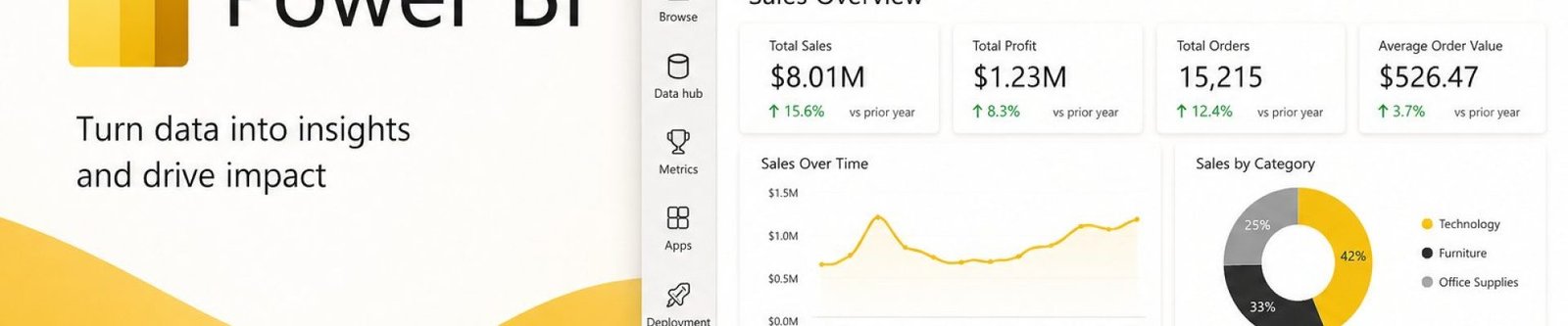
Microsoft Power BI Australia: 5 Powerful Ways to Drive Real ROI
Microsoft Power BI Australia is helping businesses close the gap between the data they collect and the decisions they actually make. Most organisations are sitting on a goldmine of data — sales figures, customer records, operational metrics, financial reports — scattered across spreadsheets, databases, and cloud systems. The problem isn't a lack of data. It's that most businesses can't see it clearly enough to act on it with confidence. That's the problem Power BI solves.
Power BI is a business intelligence and data visualisation platform that connects to your existing data sources, transforms raw numbers into interactive dashboards and reports, and puts meaningful insight in front of the people who need to make decisions — in real time, on any device. It sits within the Microsoft Power Platform alongside Power Apps, Power Automate, and Power Pages, integrating deeply with the tools most Australian businesses already use: Excel, SharePoint, Dynamics 365, and Azure.
Business intelligence used to be the exclusive domain of large enterprises with dedicated analytics teams. Power BI makes that capability accessible to organisations of any size — fast-growing startups, mid-market businesses managing complex operations, or large enterprises consolidating reporting across multiple departments and regions. We work with businesses across Adelaide and nationally to put it to work.
The Real Cost of Operating Without Reliable Insights
Before looking at what Microsoft Power BI Australia delivers, it's worth being honest about what operating without it actually costs:
- Decision-makers working from spreadsheets that are already out of date by the time they land on a desk
- Reports living in silos — finance, operations, and sales each with their own numbers — turning meetings into arguments about whose data is right, instead of what to do next
- A team member spending two or three days every single month manually extracting, combining, and formatting a report
- A leadership team navigating by instinct, when they could be navigating by evidence
Power BI addresses all of this — not by adding complexity, but by removing it.
How Power BI Delivers Measurable ROI
The return on a Power BI investment tends to show up in five consistent places:
Less time spent reporting
Automated dashboards remove hours of manual data pulling and formatting every month.
Faster decisions
Real-time insight means decisions get made against current data, not last week's.
New revenue opportunities
Trends and patterns surface early enough to act on, not just report on after the fact.
Lower operational costs
Inefficiencies that were previously invisible in raw data become obvious in a dashboard.
Problems caught earlier
Trends and anomalies surface in real time instead of turning up in next month's report.
Faster, Better-Informed Decisions
When your key metrics live in a dashboard that updates automatically as new data flows in, you're no longer waiting on someone to compile a report before understanding where the business stands. A sales director who can see pipeline health, conversion rates, and revenue forecasts on one screen every morning makes sharper calls than one working off a spreadsheet updated last Friday. A CFO who can see live budget versus actuals responds to variance earlier and more precisely than one waiting for the monthly accounts to close.
Eliminating Manual Reporting — and the Errors That Come With It
A significant chunk of a working week in many Australian businesses goes into reporting tasks Power BI can automate entirely: pulling data from multiple systems, reformatting it, checking it against prior periods, building a leadership deck. Once Power BI is connected to your data sources, those steps become redundant — a finance team that used to spend three days closing the monthly management pack can redirect that time to analysis and forecasting instead.
Manual data handling also introduces risk at every step — a broken spreadsheet formula, a figure copied from the wrong column. Power BI's direct connections to source systems mean the data in your reports is the same data in your systems, with no manual handling in between.
Catching Problems — and Opportunities — Before They Escalate
When data is live and visualised, a spike in support tickets is visible immediately rather than surfacing in a monthly review. An underperforming product line stands out in a geographic breakdown instead of being averaged into a summary figure. A cash flow pattern signalling a shortfall six weeks out shows up in a trend line rather than staying buried in raw data — shifting the business from reactive to proactive management.
Supporting Accountability and Performance Culture
When teams have real-time visibility into their own metrics, accountability becomes embedded in how work gets done rather than enforced through periodic reviews. A customer service team with a live dashboard of resolution times and satisfaction scores doesn't need a quarterly report to know how they're performing — and that transparency accelerates improvement in ways traditional reporting cycles can't match.
A Real-World Microsoft Power BI Australia Example
A mid-sized services business we worked with was spending roughly three full days a month manually compiling management reports across three disconnected systems. After connecting Power BI to those data sources, the same report became a live dashboard, refreshing automatically — cutting reporting time by more than 90% and freeing that team member to focus on analysis instead of data entry.
What Does Power BI Cost in Australia?
One of the most common questions we get about Microsoft Power BI Australia-wide is simply: what does this actually cost? Pricing depends on complexity, but as a general guide:
- Power BI Desktop is free for individual report authoring
- Sharing dashboards across a team typically requires a Power BI Pro or Premium licence, priced per user, per month
- A straightforward dashboard implementation project generally starts in the low thousands
- Larger, enterprise-level builds involving multiple data sources or Microsoft Fabric integration cost more, reflecting the additional data architecture work involved
The exact number depends on how clean your existing data is, how many systems need connecting, and how complex your reporting requirements are. We're happy to give you a clear, specific estimate once we understand your setup.
Power BI Inside the Microsoft Power Platform
For Microsoft Power BI Australia businesses already invested in Microsoft 365 or Dynamics 365, Power BI doesn't sit in isolation — it's part of the broader Power Platform ecosystem, and that integration unlocks capabilities well beyond reporting alone:
Connects to Power Automate
A KPI dropping below target in a dashboard can automatically trigger an alert, task, or review process.
Connects to Power Apps
Build custom apps where users interact with data visually and take action from the same interface.
Extensive Connector Library
Reads from and writes to SharePoint, Dataverse, Azure Data Lake, and hundreds of other sources.
Activates Your Existing Stack
For an existing Microsoft footprint, Power BI isn't a new platform — it's the intelligence layer across what you already have.
What Implementation Actually Looks Like
A Microsoft Power BI Australia implementation isn't a monolithic, multi-month project. For many organisations, meaningful results are achievable in weeks:
Understand the decisions you need to make
Identify what currently informs those decisions and where the gaps are.
Connect and model the right data sources
This may involve a degree of data cleansing and transformation for consistency and accuracy.
Design around the end user
Not just what the data shows, but how it needs to be laid out, filtered, and navigated by someone running the business.
Build for adaptability
For more complex environments, this often involves deeper data architecture work alongside Azure services — and an ongoing partner relationship as your reporting needs evolve.
Where Australian Businesses Are Seeing Results
The flexibility of Microsoft Power BI Australia-wide means it delivers value across a wide range of industries and business functions:
Across every context, the common thread is the same: businesses that can see their data clearly, consistently, and in real time make better decisions than those that can't.
Here's a quick snapshot of what adopting Microsoft Power BI Australia-wide typically looks like in practice:
The Bottom Line: Your Data Is an Asset. Power BI Is How You Use It.
Every day your business generates data — customer interactions, transactions, operational events, financial movements. The question isn't whether you have data worth analysing. It's whether your organisation has the visibility to use that data as the competitive asset it genuinely is.
Microsoft Power BI connects your data, surfaces what matters, automates the reporting your team currently does manually, and puts accurate, real-time insight in front of the people making decisions that affect your business every day. For businesses evaluating Microsoft Power BI Australia-wide, it's part of the wider Microsoft Power Platform Solutions SimpleIT4U delivers — whether you're starting from scratch, migrating from a legacy reporting tool, or getting more from an existing Microsoft investment.
Ready to see what Microsoft Power BI Australia could do for your data?
Get in touch with the SimpleIT4U team to discuss what a Power BI implementation could look like for your organisation.
Get in Touch →